Accident Scene
Photo App
Research-driven redesign of HONK's accident photo capture flow — from 14% to 96% acceptance through iterative, validated design.
Redesigning A Product Failing at 14%
HONK wanted to collect at-scene damage photos of vehicles involved in accidents so an AI could determine total loss before a tow, routing the vehicle directly to a scrap yard and saving insurance clients money. The initial solution was a basic web form for tow operators that produced acceptable photos only 14% of the time. HONK needed that number to rise dramatically before it could offer this as a viable product to its insurance partners.
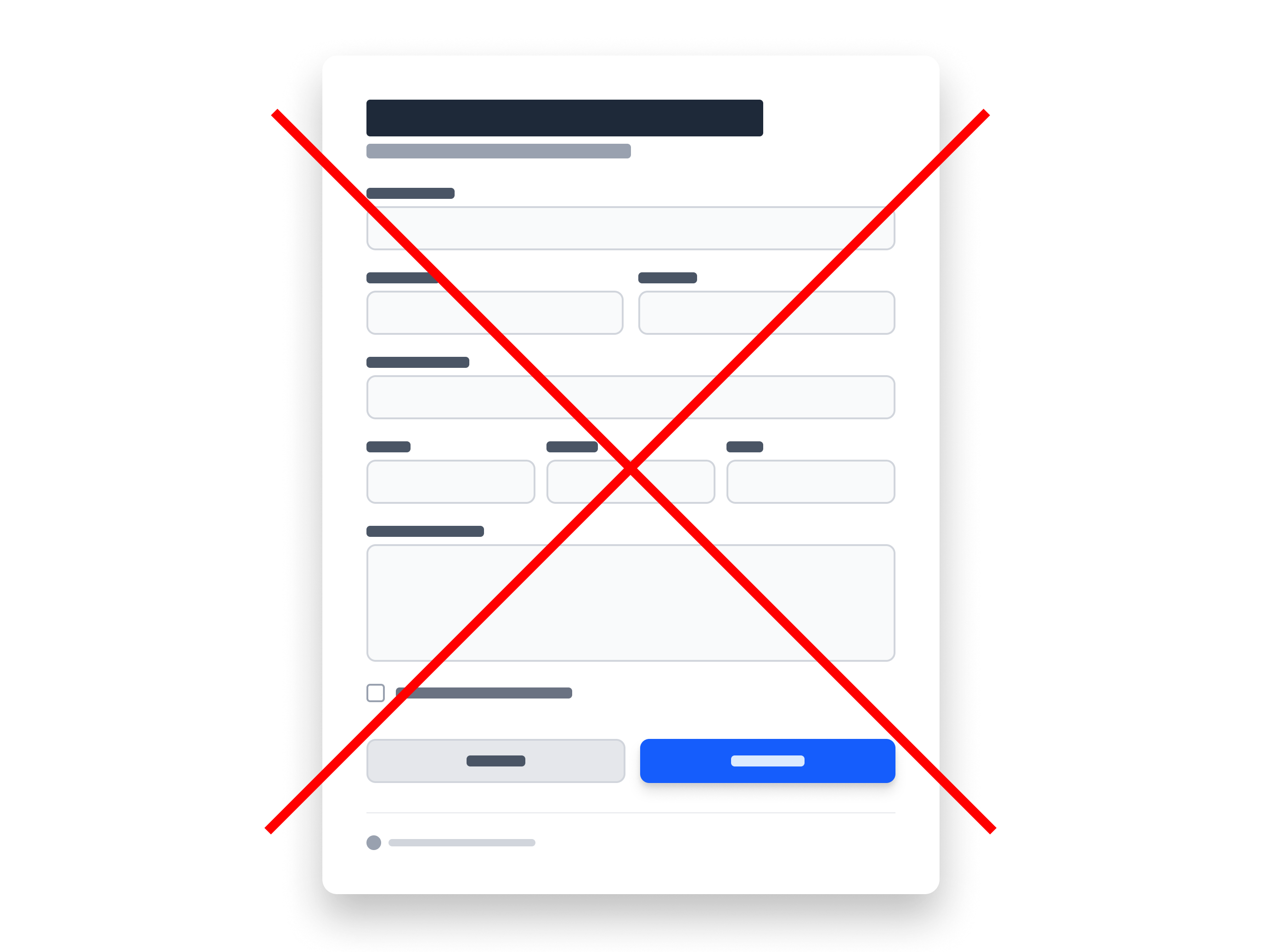
The basic web form was not enough.
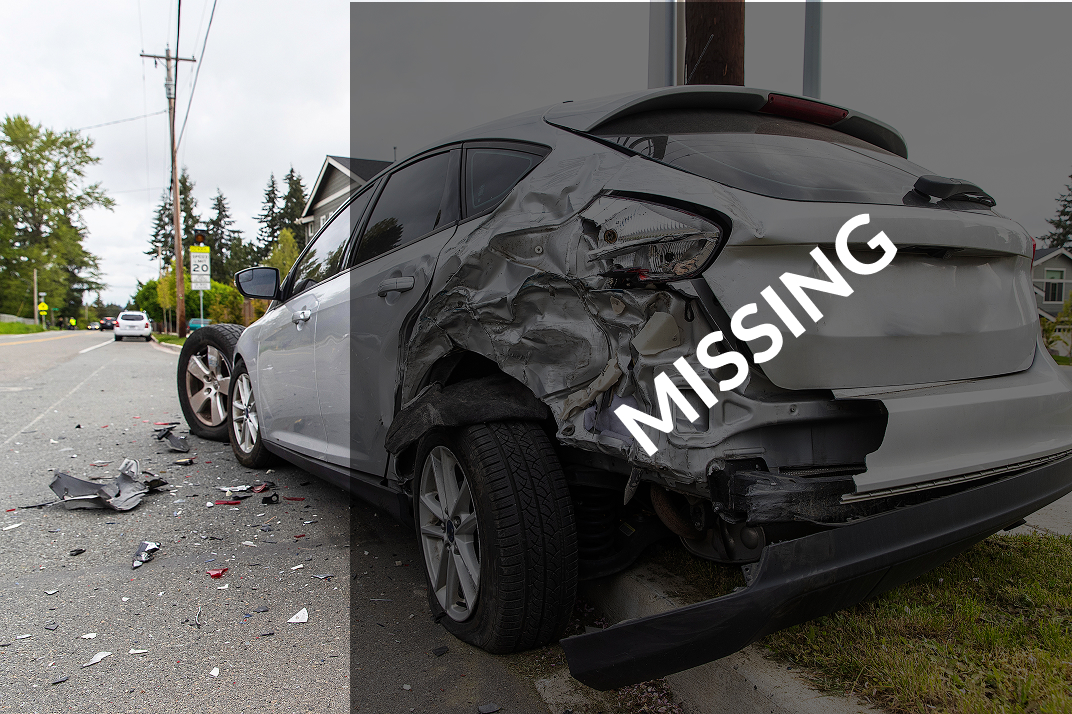
Photos submitted through the original form frequently missed large portions of the damaged vehicle, making them unusable for AI damage assessment.
Seven Barriers Blocking Good Photos
I analyzed submitted photos and recorded why each one failed our criteria, cross-referenced detailed job data in Looker, reviewed session recordings, and interviewed tow company owners, dispatchers, and operators — verifying findings with our data scientist along the way.
- 1Operators uploaded their own existing photos out of habit
- 2Safety concerns from stepping into active roadways
- 3No perceived value in the extra step
- 4Texts went to dispatchers instead of the operator on scene
- 5Ineffective in-flow instructions
- 6Camera orientation defaulted to portrait
- 7Photos taken after the vehicle was already towed
From Live Detection to Intelligent Feedback
We prioritized photo quality first, before engagement, because this was the area most likely to need technical experimentation — and its limits would shape every decision downstream. A guided walk-around video was ruled out early on browser video inconsistency and the upload speeds available at accident scenes.
Live object detection to guide the shot in real time was the approach we iterated on longest. We tested it internally across the conditions our users actually worked in — different locations, cell signal strengths, and device types — and tried preloading the detection model at various points so it would be ready the moment it was needed in the experience. We couldn't get an acceptable experience often enough: older and lower-cost devices limited accuracy and responsiveness, and model load times over poor mobile data introduced delay at exactly the wrong moment. It never went to users.
Once live detection was ruled out, I proposed proving a different approach by hand before asking engineering to build it: review photos after capture instead of in real time. I organized a 24/7 Slack rotation — engineering, our support team, and myself — to manually review every incoming photo and send operators specific retake feedback. That manual process validated post-capture review would work before a single line of automation was written.
By this point the redesigned web app and camera experience had brought acceptance to 35%. Post-capture feedback, plus a landscape-orientation gate that kept the camera from opening in portrait, took it to 96% — with most operators who missed on the first attempt getting it right on the second, after seeing specifically what was wrong.
Key Decisions
- Post-capture review over live detection
- Manual Slack review to validate before automating
- Landscape orientation enforced before camera opens
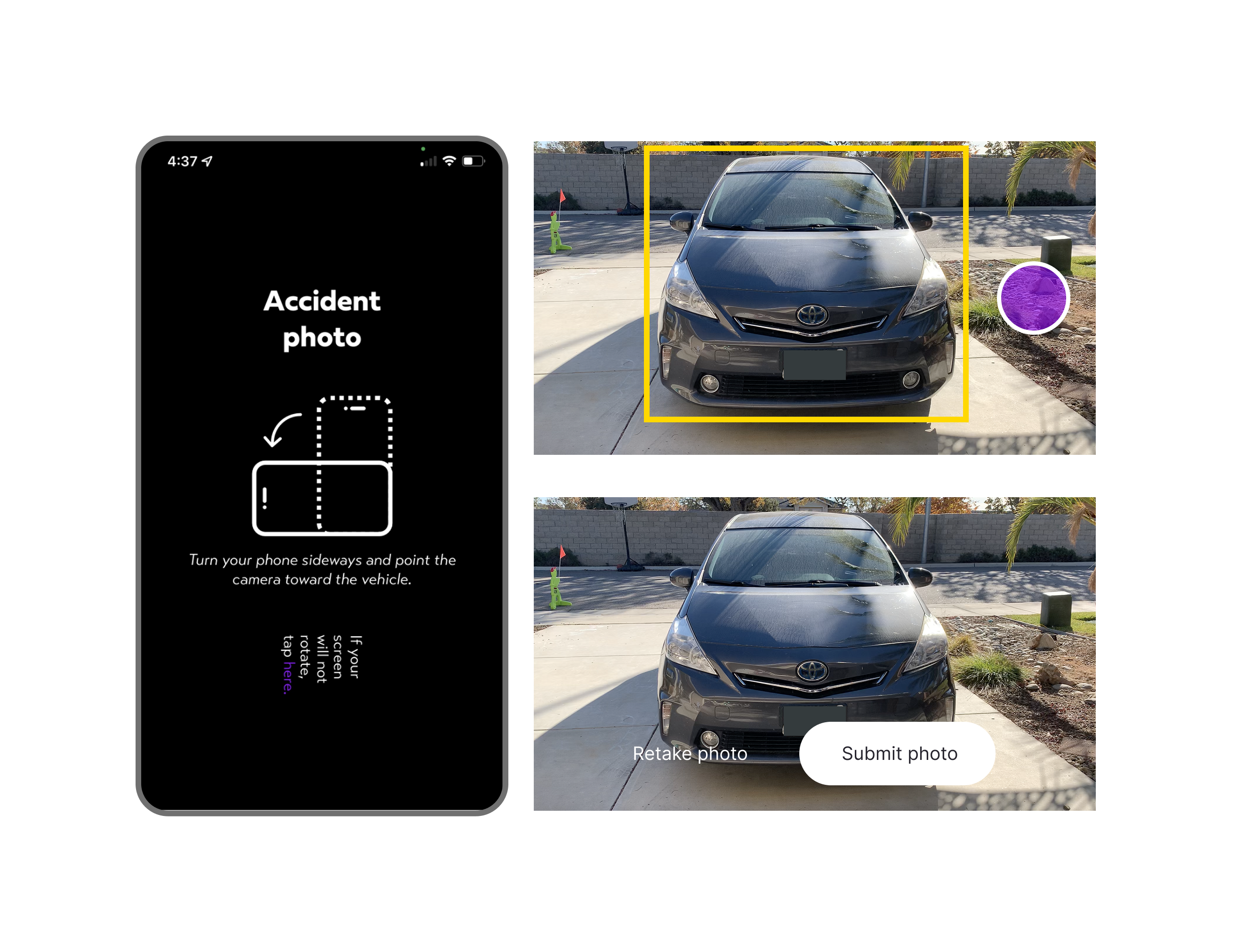
After ruling out live object detection, post-capture review with automated feedback raised acceptable photo submission from 35% to 96%.
Going from 40% Engagement to 75% Through Integration
Improving photo quality solved only half the problem, tow operators still had to use it at the right time.
The existing text-link approach was inconsistently delivered and easy to ignore. We embedded the photo requirement and a direct link inside the HONK Partner app's job details view, where operators already read job info when first assigned. An arrival push notification gave them a one-tap shortcut into the camera experience. For tow operators not using the Partner app (30% of accident jobs), we gave dispatchers a quick-share button to text the link directly to the right person. We also surfaced the captured photos in job history, giving tow companies proof-of-condition documentation they valued for liability protection — that change did contribute to engagement. We included the walk-around video there as well; owners valued it as extra protection, though we were never confident it moved engagement on its own.
Photo requirement and direct link embedded in the Partner app's job details view
Arrival push notification and dispatcher quick-share raised engagement from 40% to 75%
Job history photos gave owners proof-of-condition documentation and contributed to engagement; the walk-around video strengthened the relationship
A Viable Insurance Product — and Lessons Learned
Through rapid 1–3 day A/B iterations, screen recordings, and ongoing tow operator interviews, the team transformed a failing MVP into a credible insurance product offering. The largest remaining opportunity was delivering more direct value to tow companies, incentivizing engagement well beyond 75%. Browser-based cameras also proved brittle: permission failures and device inconsistencies created friction that a native camera path could have avoided.
A meaningful takeaway
Proving a manual process first (human photo review in Slack) before automating saved significant engineering time and de-risked the core assumption early.
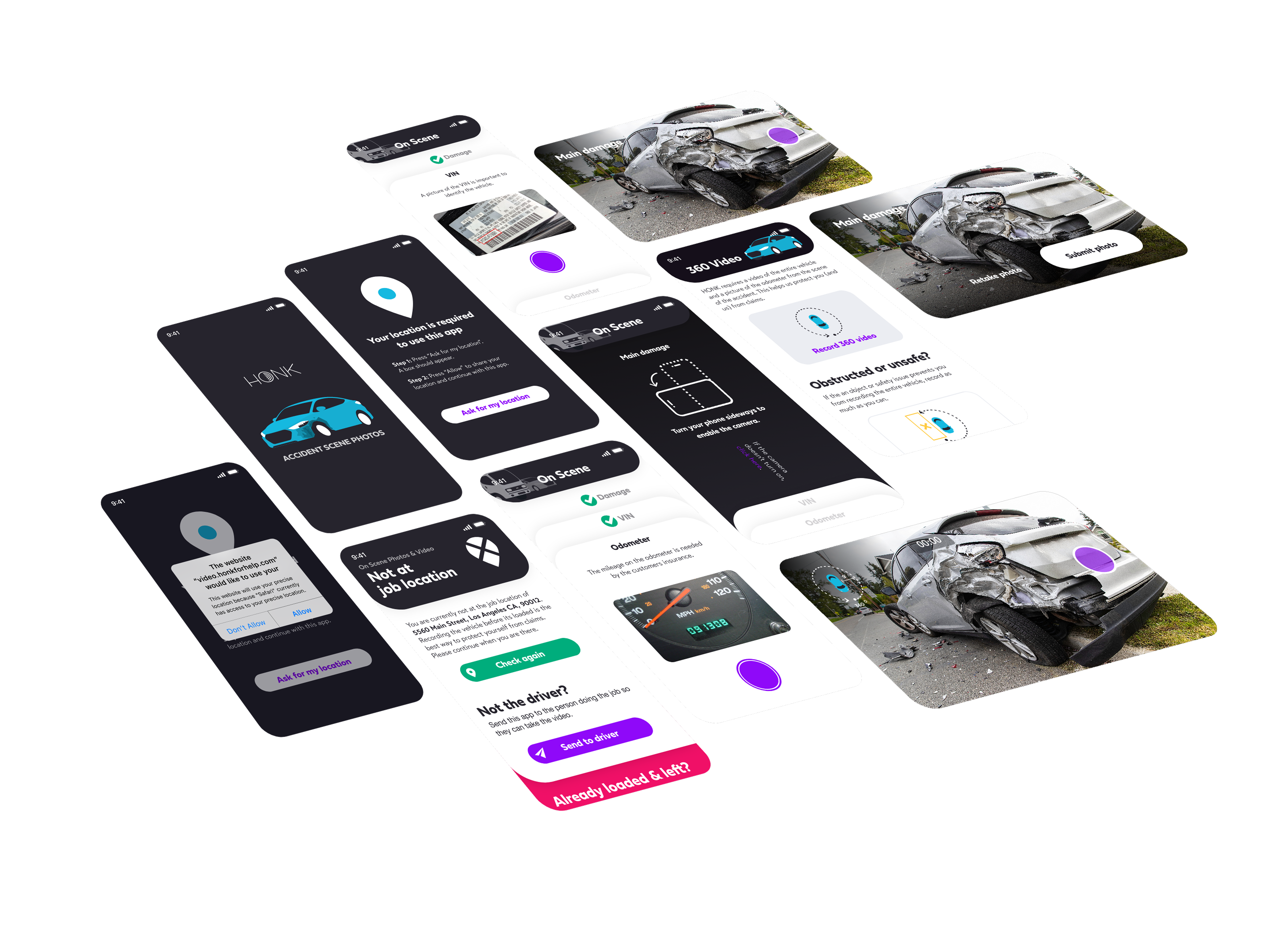
Rapid A/B iteration, screen recordings, and tow operator interviews guided every design decision from initial concept to a scalable insurance product offering.