AIStor Console
V2
Rebuilding MinIO's enterprise storage console from the ground up, and pioneering a new AI-augmented Figma↔code workflow along the way.
The Vision
AIStor is an enterprise-grade, exabyte-scale data store built for organizations running demanding AI training, inference, and analytics workloads. The AIStor Console is its browser-based management interface. This project meant defining a new design system, redesigning the full product, and establishing a new design-to-code workflow along the way.
The plan was for me and our CEO to design every feature carefully in Figma, using a shadcn-based component system, then use Claude to convert those designs into code. Each feature would be planned by structured discussions with our CEO and the engineers most familiar with the functionality, informed by user input and the existing V1 product, before any design work started.
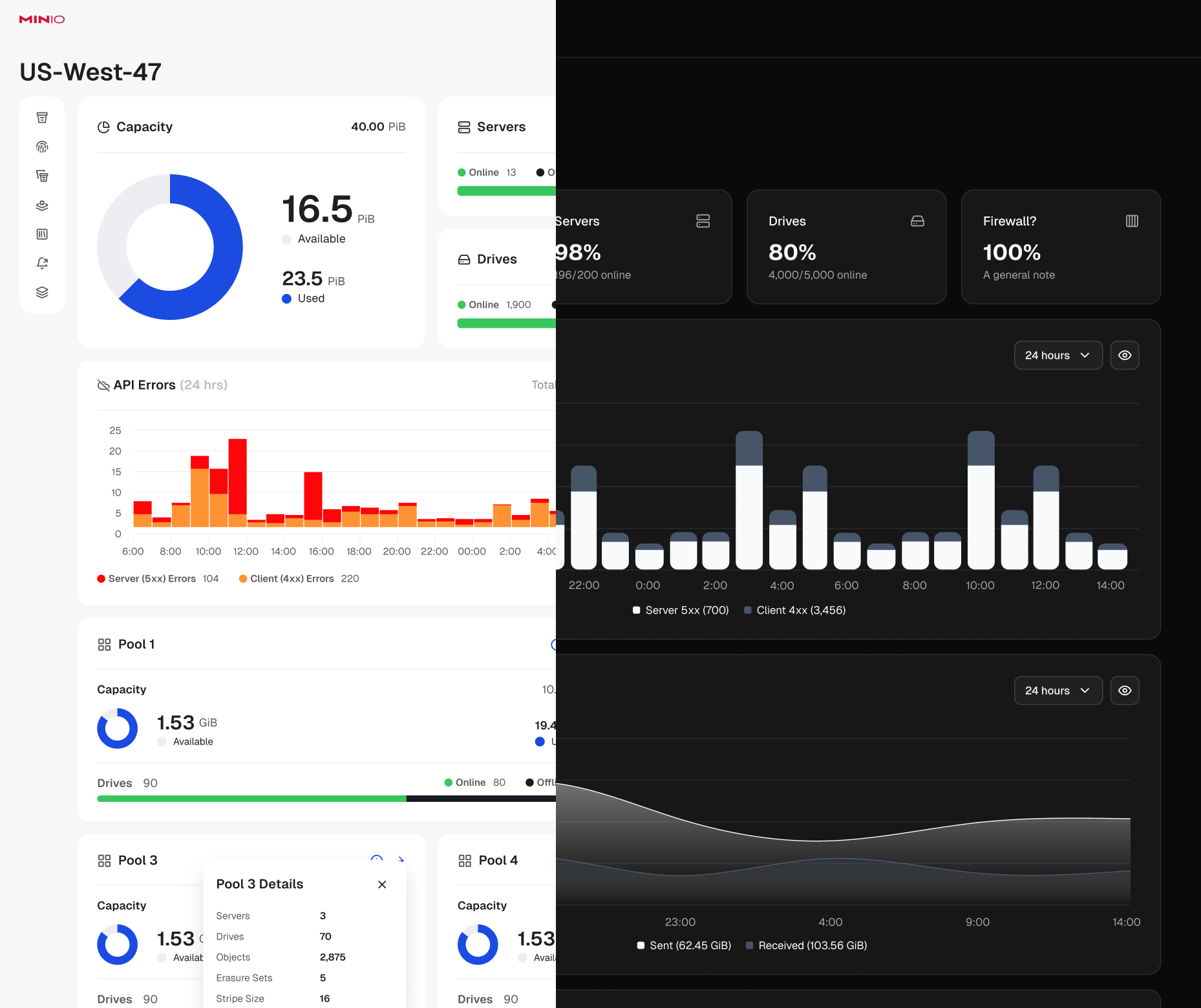
A reimagination of AIStor
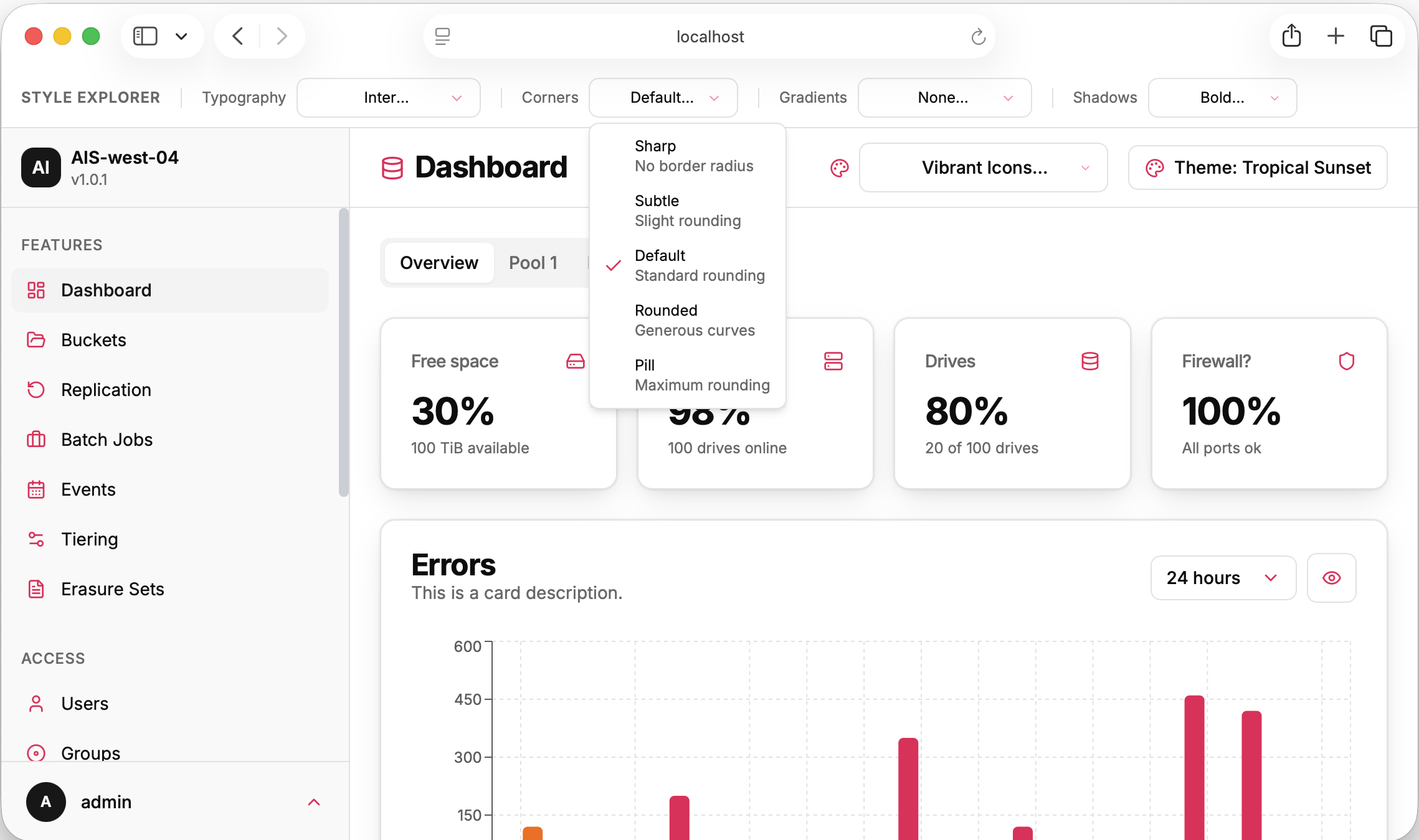
Style exploration prototype
Structure, System & Style
In addition to defining individual features, I mapped the application's feature areas at a high level with our CEO and three lead engineers, establishing the structure that would drive navigation, menu organization, and a working build list. That early structural work doubled as research, testing how intuitive the proposed organization was with actual users to reduce restructuring further down the line. Since Claude would be converting Figma designs directly into code, I also chose a shadcn-based Figma library built for clean canvas-to-code conversion rather than starting from scratch.
To settle on our own visual style quickly, I built feature-approximation prototypes with Claude. These prototypes were built with live style selectors to change the color palette, typography, shadows, gradients, and more. This approach, instead of presenting static comps, let our CEO and I finalize the product's visual direction together, adjusting in real time, in a single working session.
From Figma-First to Claude-First
During that same early phase, even while the plan was to design carefully in Figma first, I knew that a single design resource (me) would be a significant bottleneck. So I worked with one of our lead engineers to experiment with using Claude to design and build feature sections directly (without Figma). To accomplish this, we brought all of Figma's component and design data into the codebase itself, removing the need to query Figma's MCP server every time Claude generated a design.
After moderate success with the Claude-first approach, we adopted it as our default process. Since most AIStor Console features mirrored capabilities already built into the CLI, we assigned the engineers who knew each feature best (often the same people who'd built it for the CLI), to work directly with Claude to build the V2 console version.
That shift changed my role too. Myself, our CEO, and a panel of lead engineers became more of a review board — giving feedback so the assigned engineer could iterate to a release-ready version. It made me less of a bottleneck and freed me to focus on higher-level strategy across the project.
Common Patterns, Inconsistent Execution
As engineers built their assigned sections with Claude, a predictable problem emerged: common UX patterns didn't match from feature to feature.
CRUD flows, list behaviors, modals vs drawer use, and other patterns were each getting reinvented per feature, since every engineer was solving the same interaction problems independently. To fix it, I built example templates of these patterns directly into the project's codebase, so Claude had a consistent, correct reference to pull from instead of improvising a fresh pattern each time.
Pattern templates lived in-repo, where Claude would actually reference them
Covered CRUD flows, list behavior, and other common patterns
Reintroducing Figma as a Precision Tool
For more complex features, the prompt → review → feedback loop was too slow — too many rounds, and Claude wasn't always organizing or prioritizing a feature's information and options well. It also asked engineers to put on a "designer hat" that not everyone was equally comfortable wearing.
I brought Figma back into the process — not as the starting point, but as a refinement stage. Once a feature had gone through a few prompt/review loops without reaching a release-ready state, I moved it into Figma for focused review-and-refinement sessions, then applied the changes with precision directly in the canvas.
Recreating already-coded designs in Figma by hand would have been slow, so I used Claude to automate it. First, a design extractor that walked through a given section of the product and captured every page and state (tab selections, modals, menus, etc.) for comprehensive coverage. Second, a Figma plugin, also built with Claude, that read those extracted designs and placed them on the canvas.
Note: This was built before Figma's MCP could write to the canvas directly, so the plugin API was the only path available at the time.
This reintroduced me as more of a bottleneck, but it put people where their skills mattered most — engineers surfaced the right information and capabilities, and I applied design craft and ran faster review/edit loops directly with our CEO and lead engineers. Being that close to the work also made it easier to spot design opportunities I'd have missed at a review-board distance.
Key Decisions
- Figma reintroduced as a refinement stage, not the starting point
- Custom extractor, built with Claude, captured every page/state for full section coverage
- Figma plugin, also built with Claude, wrote extracted designs to canvas — built before Figma's MCP supported canvas writes

Reorganized information and presentation once a feature moved into the precision loop.
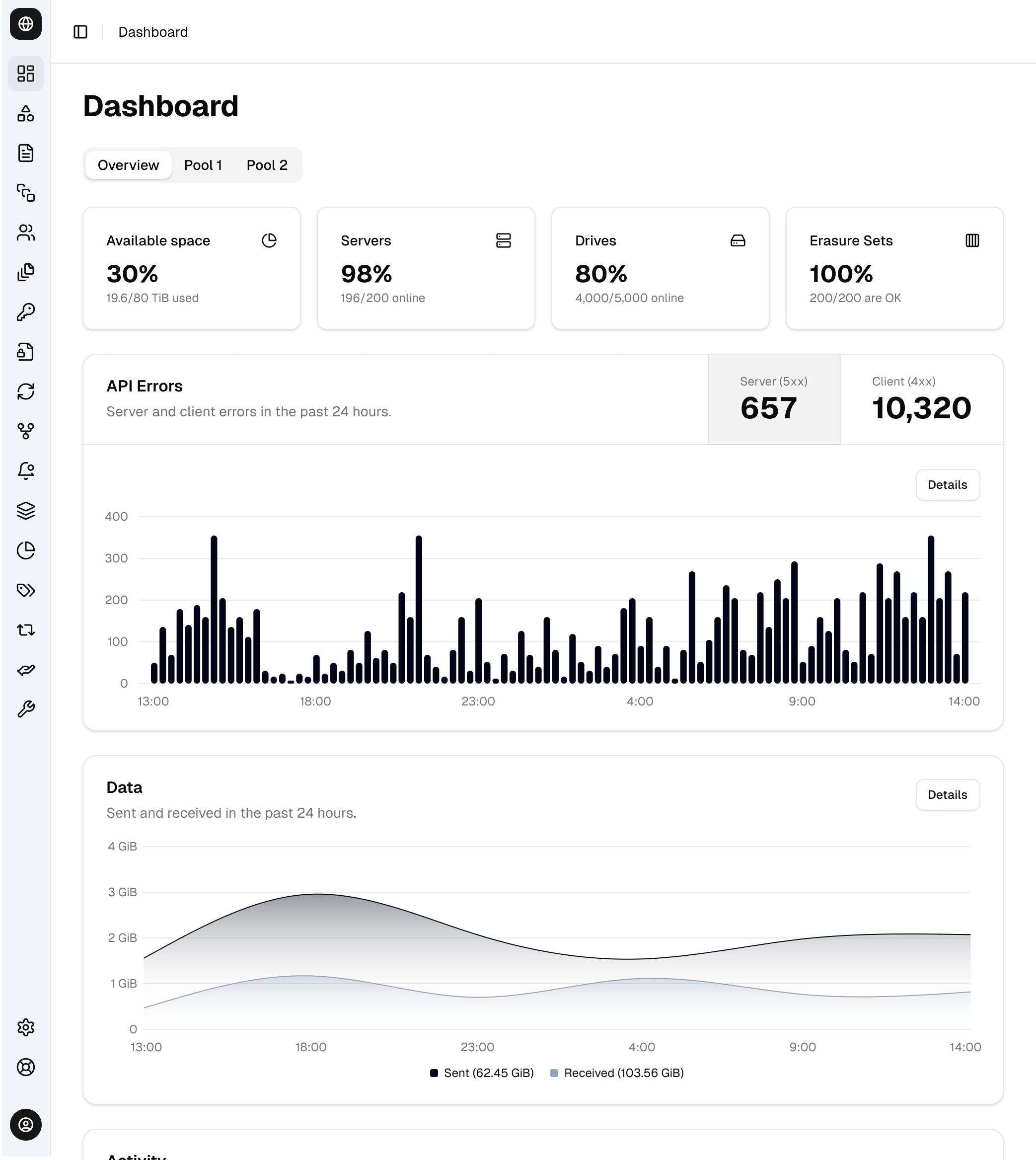
The refined design system output of the Figma ↔ code loop.
Finding a Balance
AIStor V2 hadn't shipped to customers by the time I left the company, but the two pivots and refined process are the real story. What started as a single-designer bottleneck became a workflow that kept design and code in sync and roughly tripled feature ideation speed, without sacrificing quality, across an engineering team of 15.
Where Claude Fell Short
Claude was fast and capable feature by feature, but it didn't scale cleanly on its own. On complex features, the prompt → review → feedback loop produced too many rounds, and Claude wasn't always organizing or prioritizing a feature's information well without a human editing pass. And once more engineers were building directly with it, common UX/UI patterns were reinvented per feature, causing inconsistencies in the product, because Claude had no shared reference to pull from.
What Ended Up Working
Finding the right fit for tools, innovation, and people was key. Claude handled speed and breadth; Figma handled precision when a feature needed a focused refinement pass instead of endless prompt rounds. In-repo pattern templates gave Claude a consistent reference instead of every engineer improvising one. I even used Claude to build the bridge between the two tools with an extractor and a Figma plugin, so recreating coded designs in Figma by hand never became its own bottleneck.
For Future Projects
Build shared pattern references before scaling Claude-first work across a team, not after drift shows up. Also, Figma's MCP is a lot more capable now and Claude skills exist that make keeping code and canvas in sync a lot easier.